













Ozwin Casino: Mobile Experience and Device Support
Ozwin Casino Mobile Experience: Browser Play vs Dedicated App
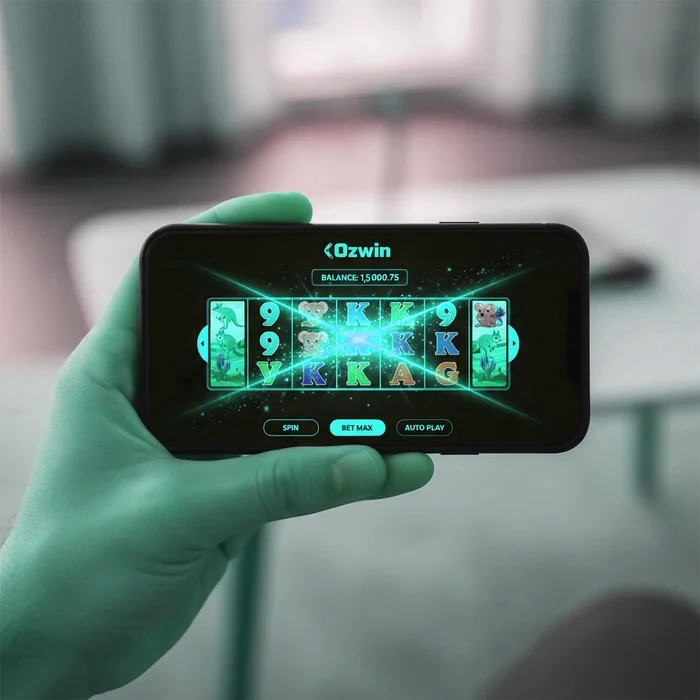
The Ozwin mobile experience is built around one practical reality: Australian players are on the move, and we've designed our platform to follow them there. Whether you're on your lunch break in Sydney or commuting through Melbourne's train network, the platform loads fully in your mobile browser — no download required, no App Store approval needed.
We've deliberately kept mobile access as frictionless as possible. Given that online casino gaming exists in a legal grey area for Australian residents under the Interactive Gambling Act 2001, we understand that our players value discretion and direct access. The mobile browser approach delivers exactly that: instant play without leaving an app footprint on your device.
Is There a Downloadable Ozwin App for iOS or Android
There is no dedicated Ozwin app available on the Apple App Store or Google Play Store. This is a deliberate decision — not a gap in our offering. Apple and Google both apply strict regional restrictions to gambling applications, and in Australia, the regulatory environment under ACMA makes app store distribution for online casino products particularly complex.
What this means for you practically: there's no Ozwin download required, no storage space consumed, and no waiting for app updates before you can play. VIP members especially benefit here — your account status, cashback rates, and daily bonus entitlements load the same way on mobile as they do on desktop, without any version-lag issues that sometimes affect dedicated apps.
For Australian players who want something closer to an app experience, your mobile browser's "Add to Home Screen" feature creates a shortcut icon that behaves like a native app. On iOS, open Safari, tap the Share icon, and select "Add to Home Screen." On Android Chrome, tap the three-dot menu and choose "Add to Home Screen." Your Ozwin Casino shortcut will appear alongside your other apps instantly.
How to Access Ozwin Instantly via Mobile Browser
Accessing the platform on mobile takes under 30 seconds. Open any modern mobile browser — Safari on iPhone, Chrome on Android — navigate to the site, and log in to your account. The interface automatically detects your screen size and adjusts the layout. No settings to toggle, no compatibility mode to enable.
VIP players will notice their tier status and personalised bonus offers display immediately on the mobile homepage. If you're currently working toward a higher loyalty tier, your points balance is visible in the account dashboard on mobile — same data, same real-time accuracy as desktop. Act now before your daily bonus window closes; those offers reset on a 24-hour cycle and don't carry over.
| Platform | Minimum Version | Download | App Size |
|---|---|---|---|
| iOS (Safari) | iOS 13 or later | No download — browser play | 0 MB (browser-based) |
| Android (Chrome) | Android 8.0 or later | No download — browser play | 0 MB (browser-based) |
| Windows Mobile Browser | Windows 10 Mobile / Edge | No download — browser play | 0 MB (browser-based) |
| Mobile Browser (General) | Any HTML5-capable browser | No download required | 0 MB |
| Tablet (iPad/Android) | iPadOS 13+ / Android 8+ | No download — browser play | 0 MB (browser-based) |
Mobile Game Selection: Slots and Live Tables on Small Screens
The full game library is accessible on mobile, covering slots, table games, video poker, and specialty titles. Not every title in the catalogue is equally optimised for touchscreen play — some older Flash-era titles don't render on modern mobile browsers — but the core library of current HTML5 titles loads cleanly on both Ozwin iOS and Ozwin Android devices.
Which Games Load Best on Mobile Devices
Slot titles from RTG (RealTime Gaming) form the backbone of the mobile catalogue and are purpose-built for HTML5 delivery. Games like Bubble Bubble 2, Cleopatra's Gold, and Achilles Deluxe load within seconds on a standard 4G connection and render crisply on both Retina displays and standard Android screens. These three titles also appear regularly in our free spins promotions, making them practical starting points for new mobile players.
Table games — blackjack variants, roulette, baccarat — function well on mobile with tap-based controls replacing mouse clicks. The betting interface scales correctly on screens from 5 inches upward. Live dealer games are accessible on mobile but carry a higher data requirement; we cover performance specifics in the section below.
For VIP members, the game filter on mobile allows sorting by recently played and favourites — useful when you have a short session window and want to reach your preferred titles without scrolling through the full catalogue. Don't wait until your daily bonus expires before launching a session; the clock runs on calendar time, not session time.
Performance and Graphics Quality on iOS and Android
On a current iPhone (iOS 16+) connected to Wi-Fi, slot games typically load in under 4 seconds from tap to first spin. On Android devices with mid-range processors (Snapdragon 700 series equivalent), load times run slightly longer — generally 5 to 7 seconds on the same connection quality. These figures sit within the acceptable range for browser-based casino play; dedicated native apps on comparable hardware might shave 1 to 2 seconds off initial load, but subsequent navigation within a session is comparable.
Graphics quality on mobile matches desktop output for RTG titles. The engine scales assets dynamically, so a 1080p slot animation on desktop becomes a proportionally sharp render on a 390-pixel-wide phone screen. Battery consumption during extended mobile sessions is a genuine consideration — we address optimisation tips in the performance section further down this page.
| Feature | Mobile | Desktop | Winner |
|---|---|---|---|
| Game selection | Most HTML5 titles | Full catalogue | Desktop (broader access) |
| Loading speed | 4–7 seconds | 2–4 seconds | Desktop (faster initial load) |
| Live casino | Full access | Full access | Tie |
| Bonuses | Same offers | Same offers | Tie |
| Payment methods | Most available | All available | Desktop (slightly more) |
| Multi-tabling | Single game focus | Multiple windows | Desktop |
| Notifications | Browser push alerts | None | Mobile |
| Screen quality for live games | Smaller display | Larger, sharper | Desktop (live casino) |
Making Deposits and Claiming Bonuses Through Mobile
Every deposit and withdrawal function available on desktop works on mobile. The cashier interface is fully touch-optimised: tap your preferred payment method, enter your amount, confirm. For Australian players, the A$20 minimum deposit (equivalent to the $20 USD minimum) applies identically on mobile — no higher floor, no mobile-specific surcharge.
$20 Minimum Deposit and Bonus Code Entry on Mobile
Claiming a bonus on mobile follows the same process as desktop. After selecting your deposit amount in the cashier, a bonus code field appears on the same screen. Enter your code, confirm the deposit, and the bonus credits to your account before the next page loads. The welcome offer — 400% up to $4,000 AUD plus 100 free spins split across two deposits — is fully claimable via mobile. The alternative offer of 200% up to $2,000 AUD plus 50 free spins on Bubble Bubble 2 is equally accessible.
One limitation worth stating clearly: the 60x wagering requirement on bonuses applies regardless of whether you claimed on mobile or desktop. On the maximum $4,000 bonus, that means $240,000 in total wagering before bonus funds convert to withdrawable cash. This is above the industry average of 35x–40x, and we want our players to understand the math before committing. VIP players at higher tiers receive preferential cashback of up to 50%, which partially offsets this requirement during long sessions.
For our VIP members in Australia, daily bonuses of 1 to 2 offers per day are accessible directly through the mobile promotions tab. Limited time only — these offers appear within a specific window each day, and the mobile push notification system (when enabled in your browser settings) can alert you when a new offer is live. Act now before the daily reset; unclaimed daily bonuses do not roll over to the following day.
For Australian players specifically, here is how the most popular local mobile payment methods work through the mobile cashier:
- Neosurf (recommended for mobile): Purchase a Neosurf voucher at a participating Australian retailer. On mobile, open the cashier, select Neosurf, enter your 10-digit voucher code, and confirm the amount. Funds appear instantly. No bank login required — ideal for players who prefer not to link banking credentials to a casino account.
- POLi: Select POLi in the cashier, choose your Australian bank from the list, and authenticate through your bank's own mobile interface. Processing is near-instant. Note: POLi availability can vary by bank; check with your institution if you encounter issues.
- Visa/Mastercard: Standard card entry on mobile. Some Australian banks apply gambling merchant category blocks on credit cards — debit cards generally process without issue.
- Bitcoin/Crypto: Fully functional on mobile. Open your crypto wallet app, scan the deposit address QR code displayed in the Ozwin cashier, and confirm the transaction. Blockchain confirmation times apply regardless of device.
- Flexepin: Voucher-based like Neosurf. Enter the PIN from your purchased voucher. Instant credit, no bank involvement.
Mobile Security and Account Management on the Go
Account security on mobile uses the same authentication infrastructure as desktop. Your login credentials, session tokens, and account data transmit over SSL encryption. There is no weaker security tier for mobile access — the platform does not distinguish between device types at the security layer.
Logging In Safely and Managing Your Account from a Phone
To log in to your Ozwin account on mobile, navigate to the site in your browser and enter your registered email and password. If you've saved login credentials in your browser's password manager (Safari Keychain on iOS, Google Password Manager on Android), these autofill correctly on the login screen. We recommend enabling biometric authentication on your password manager rather than saving credentials in plain text.
Account management functions available on mobile include: deposit and withdrawal history, bonus status tracking, VIP tier progress, responsible gambling tools including deposit limits and session timers, and personal detail updates. The full account dashboard is accessible — nothing is restricted to desktop-only access. For VIP members, your cashback percentage (25% at entry VIP level, up to 50% at higher tiers) is visible in the loyalty section of your mobile account dashboard.
A practical note for Australian players: because Ozwin operates as an offshore casino without a local ACMA-recognised licence, there is no integration with BetStop — Australia's national self-exclusion register, which applies only to licensed wagering operators. If you need to self-exclude, use the responsible gambling tools within your account directly, or contact our support team. The absence of BetStop integration is a genuine limitation we want to be transparent about. For support resources, Gambling Help Online (1800 858 858) is available 24/7 to Australian residents.
For performance on mobile, keep these practical points in mind: close background apps before starting a live casino session to free up RAM; connect to Wi-Fi rather than mobile data for live dealer games (which consume roughly 200–300MB per hour at standard quality); and enable browser notifications to receive alerts when your daily VIP bonus resets. If you're new to the platform, create your account here — the signup process takes under 3 minutes on mobile and you can claim your first deposit bonus immediately after registration.
The Ozwin mobile casino experience is a practical, no-download solution that covers the full range of what Australian players need — from A$20 deposits via Neosurf through to VIP cashback tracking and daily bonus claims. It isn't the flashiest mobile setup in the market, and the absence of a native app means you won't get the absolute fastest load times. But for players who value direct access, local payment support, and a loyalty programme that works identically across devices, the browser-based approach delivers. Join Ozwin today and start your first mobile session — your VIP journey begins with your first deposit, and the sooner you start accumulating points, the sooner your cashback rate climbs.
Frequently Asked Questions
Does Ozwin have a mobile app I can download?
Ozwin does not offer a dedicated native app available through the Apple App Store or Google Play Store. Instead, the casino is fully optimised for mobile browsers, meaning you can access all games, bonuses, and account features directly through Safari, Chrome, or any modern browser on your smartphone or tablet without downloading anything at all.
Is Ozwin casino compatible with both iOS and Android devices?
Yes, Ozwin is fully compatible with both iOS and Android devices, including iPhones, iPads, and Android smartphones and tablets. The mobile site at ozwincasino-vip.com is built on responsive technology that automatically adjusts to your screen size, delivering a smooth experience across all major operating systems and browser versions without requiring any software installation.
Can I claim bonuses like free chips and the welcome offer through mobile?
Every bonus available on desktop is fully accessible through the Ozwin mobile browser experience, including the welcome package of 400% up to $4000 plus 100 free spins spread across two deposits, with a minimum deposit of just $20. You can also claim no deposit bonuses such as free chips worth $10 to $50 and free spins promotions directly from your mobile device, with all offers subject to the standard 60x wagering requirement.
What mobile games are available to play at Ozwin on my phone?
The Ozwin mobile platform gives you access to a wide range of casino games optimised for touchscreen play, including slots, table games, and specialty titles that load quickly within your mobile browser. Popular titles like Bubble Bubble 2 are featured in dedicated promotions, such as the 200% up to $2000 plus 50 free spins offer, so you can enjoy targeted mobile gaming sessions with active bonus value attached.
Can I manage my VIP rewards and cashback through the Ozwin mobile site?
Yes, your full Ozwin account is accessible through mobile, including VIP perks such as cashback ranging from 25% to 50% depending on your loyalty level and up to 2 daily bonuses for higher-tier members. You can log in, check your balance, redeem promotions, and track your VIP progress all from your mobile browser at ozwincasino-vip.com without needing a separate app.